Run your first query
With a connection selected, you are ready to write and run SQL.
Write SQL
Open a new editor tab (Ctrl/Cmd+N) and start typing. As you type, SnoutData offers schema-aware completion: table and column names from the connected database, plus keywords. Hover a table or column to see its details.
SELECT id, email, created_at
FROM users
ORDER BY created_at DESC
LIMIT 50;
Run it
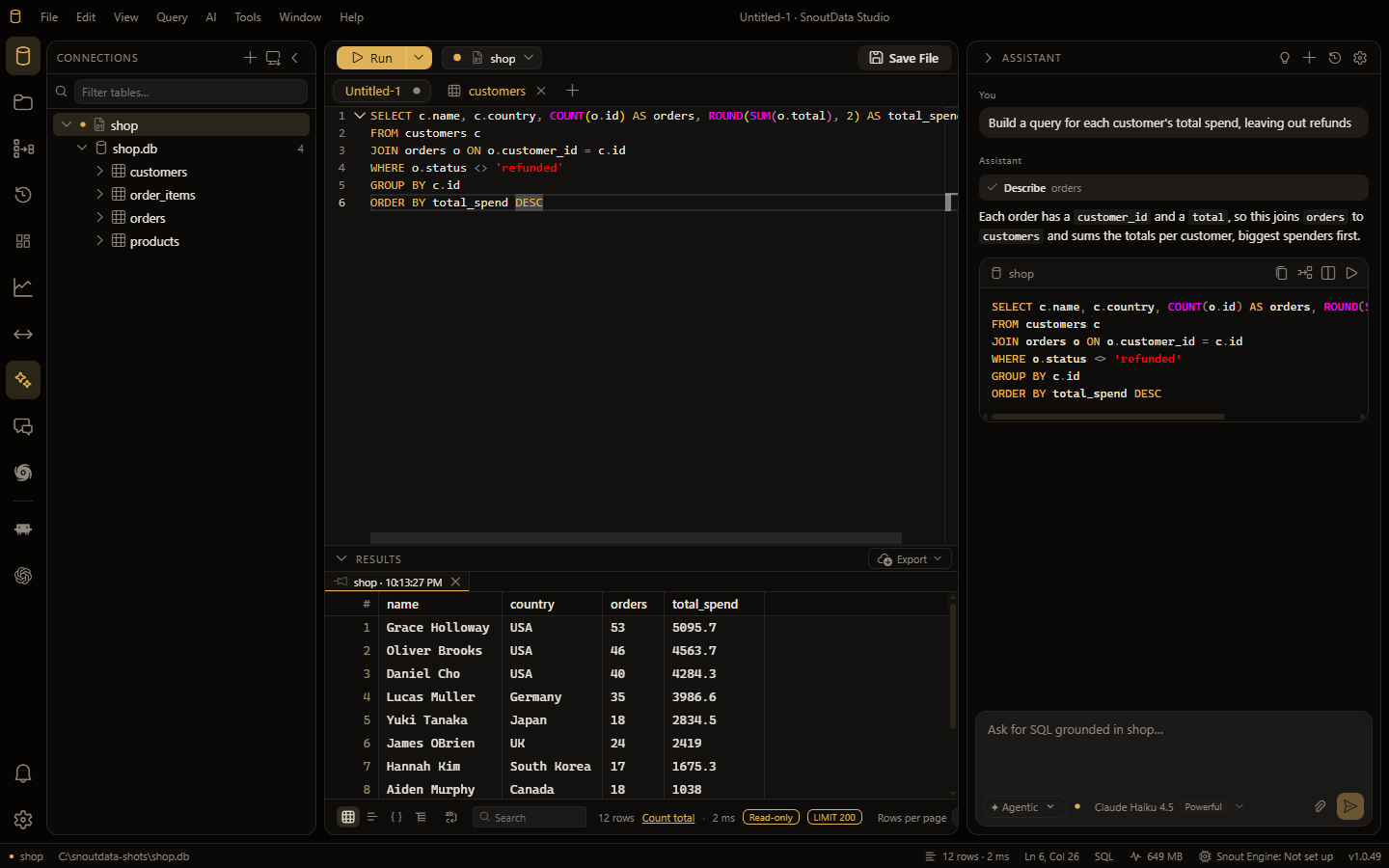
Press Ctrl/Cmd+Enter to run the statement under your cursor, or run the whole tab. The results appear in the grid below the editor.
:::tip Not a SQL database? SQL works on MongoDB and Pinecone too: SnoutData transcribes it to a native aggregation pipeline or vector query. On MongoDB you can also write a native pipeline directly. See querying beyond SQL. :::
Work with the results
The results grid lets you sort, filter, copy, and (on non-production connections) edit cells in place. Large result sets are paginated so the grid stays responsive.
Save your work
Press Ctrl/Cmd+S to save the tab as a .sql file. SnoutData can keep your scripts in a
workspace, a folder of .sql files on disk that you can search by name and content.
Next step
Let the AI assistant write queries for you from a plain-language question.