Querying beyond SQL
SnoutData works with three kinds of database: relational (SQL), document (MongoDB), and vector (Pinecone). A connection has one native execution form, and you choose how to author a query on top of it. There are three ways, and they all run as what the database actually executes.
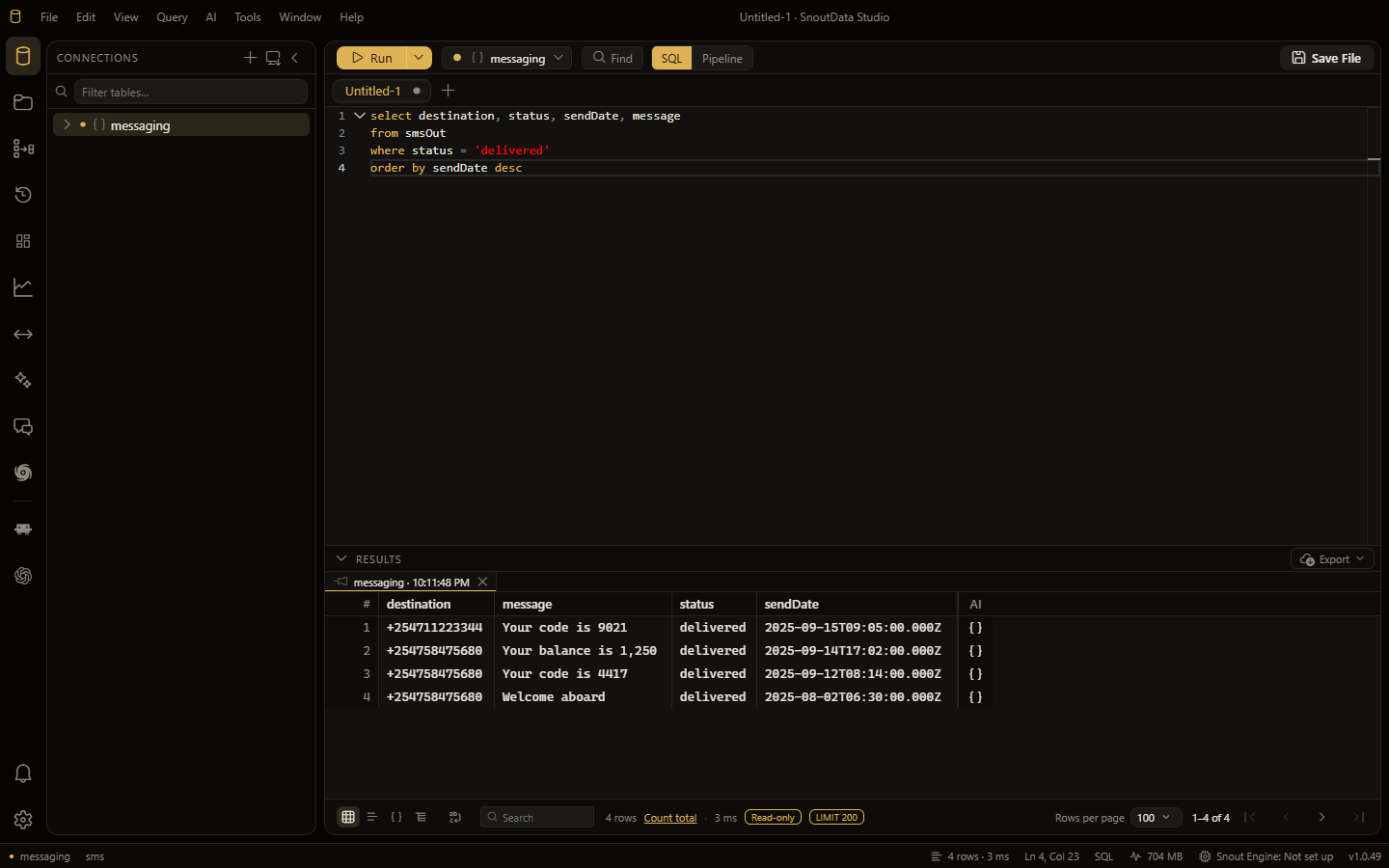
SQL, everywhere
SQL is the common language. On a relational database it runs as SQL. On a document or vector database, SnoutData transcribes your SQL to the database's native form:
- MongoDB: a SQL
SELECTbecomes an aggregation pipeline. - Pinecone: a SQL
SELECTbecomes a vector query (a metadata filter plus a result limit).
The common shapes (selecting columns, WHERE, ORDER BY, LIMIT, GROUP BY with simple
aggregates) are translated exactly and offline by a built-in compiler, so browsing and
everyday queries cost nothing extra and never leave your machine.
When SQL is too complex to translate offline
If a query is more than the offline compiler can represent on a document database, SnoutData can ask the AI assistant to translate it. Because that uses your AI budget, SnoutData asks first; a plain Run never spends your budget silently. You can also opt in to always translate with AI from Settings if you prefer. (On vector databases there is no AI fallback, because a vector query needs an actual query vector that the model cannot invent.)
A statement that does not parse is a different thing, and is never sent to the assistant: it is reported where it is, with the fix where SnoutData recognises the mistake. See Syntax checks.
Native
When you want the full power of the database, write its native query directly. On a MongoDB connection the editor toolbar has a SQL / Pipeline switch: flip to Pipeline and write a real aggregation pipeline as a JSON array of stages, with schema-aware completion. The result lands in the same grid as a SQL query.
Plain language
Ask the AI assistant in plain English. It is grounded in the connection's schema (collections and fields for MongoDB) and proposes a query you can run: SQL on a relational database, or a native aggregation pipeline on a document database.
Where to go next
- MongoDB: browse collections, query with SQL or a native pipeline, edit documents, and manage collections and indexes.
- Vector databases: connect to Pinecone and query your indexes.