Move a database
Copy a whole Postgres database between a connection on your computer and SnoutData Cloud, in either direction: a hosted project onto your laptop, or the database you have been building locally into a hosted project.
Connections that go through an SSH tunnel cannot be moved yet. The check says so when you pick one.
To copy a whole project (its users, files, functions and secrets as well as its database) between this computer and SnoutData Cloud, use Copy a project instead. It runs this move for the database part.
What moves
The schema and the data: tables and their rows, sequences and where they had got to, views, functions, triggers, enums and other types, indexes, constraints, row-level security policies and comments.
Two things do not, on purpose:
- Owners and grants. Roles belong to a server, and the role that owns a table on one server rarely exists on the other. Everything is created as the user the target connection signs in with.
- The parts of a hosted project that belong to SnoutData Cloud itself, such as the schemas its sign-in, storage and data API services use. They are left out when you move a project onto your computer, because a plain Postgres has nothing to do with them.
Start one
Click the two-arrow icon in the side bar, choose File, Move Database, or open the command palette and choose Move Database.
Pick the source and the target, and the app checks both before anything runs.
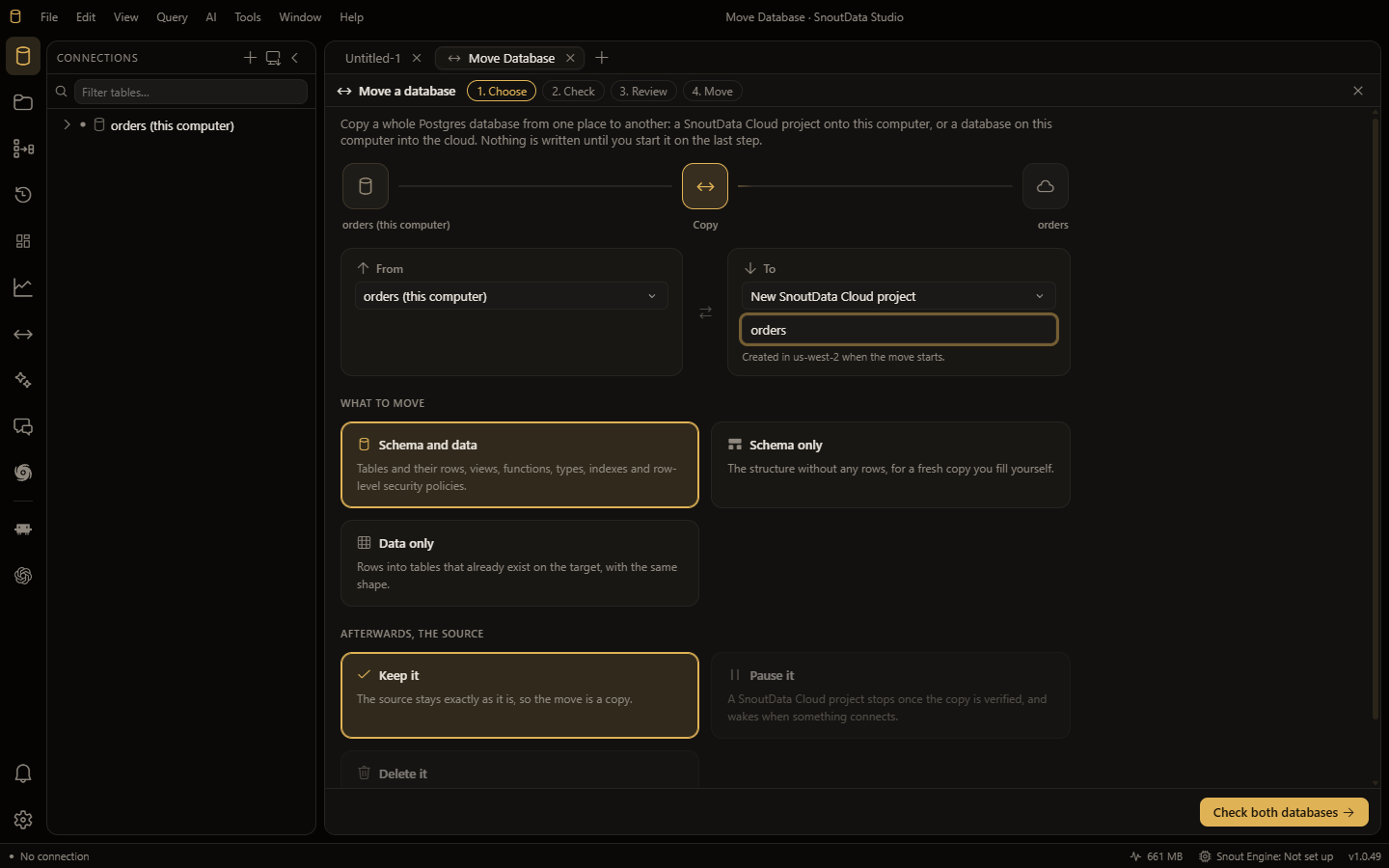
The first time, the check tells you the Postgres tools a move runs are not installed yet, and offers to download them. It is a one-time download of a few megabytes.
Moving into a database that does not exist yet
The target does not have to exist. Under Create a new database in the target list you can choose:
- New SnoutData Cloud project, with a name.
- New database on the server of one of your connections, with a name.
Nothing is created when you choose it or when the app checks it. It is created when the move starts, and the app then saves a connection to it. If the move does not finish, the new database is left where it is and the report says so, so you can delete it or try again.
The checks
Every check says what it found in a sentence, and most offer the ways to deal with it. Nothing runs until each one that needs a decision has one.
- Versions. A target running an older Postgres than the source is allowed, and anything that needs the newer version is listed if it fails.
- Extensions. If the target cannot create an extension the source uses, the check names every table with a column of that extension's type, with its row count. Those tables cannot move without the extension, so this is the check to read carefully.
- A target that already holds tables. The move stops unless you choose to replace what is there.
- A new target. A name that is already taken on that server, or a connection that is not allowed to create databases, is caught here.
- Production. Moving into a database marked as production asks you to type its name before it starts.
Just before it starts, the app checks both databases once more, so a database that changed after you reviewed the move does not get written to.
Replacing a target
When you replace a target that already holds data:
- Moving into a hosted project, a copy of what is there now is saved first, as a cloud export, and the move does not start if that copy fails. The finished move links to it.
- The screen lists everything that will be dropped, by name, before you confirm.
- The
publicschema is emptied rather than dropped, so the grants a hosted project's data API relies on stay in place.
Watching it run
The move shows each table as it copies, with its rows and bytes, the rate, and the time left. Moving into or out of a hosted project that is paused, it wakes the project first and says so. Stop the move ends it at any point, and what was already copied stays on the target.
When it finishes, a report compares the row count of every table on both sides and lists anything that did not restore, with the statement that failed.
The source afterwards
By default the source is left exactly as it was, which makes a move a copy. If the source is a SnoutData Cloud project, you can choose instead to:
- Pause it.
- Delete it. This is only offered for a move that copies all of the source, it only happens if every object restored and every row count matched, and it asks you to type the source's name. A deleted project can be recovered for the grace period of your plan.
Every SnoutData Cloud project comes with the vector extension, which a Postgres on your computer
may not have. If no table uses it, leave it out when the check asks: an extension with no data in it
does not stop the source from being deleted afterwards.
Good to know
- A move is a copy taken at one moment. Anything written to the source after the move starts is not in the target, and shows up as a row count that does not match. For a database that keeps changing, move it when it is quiet.