Bring your own key (BYOK)
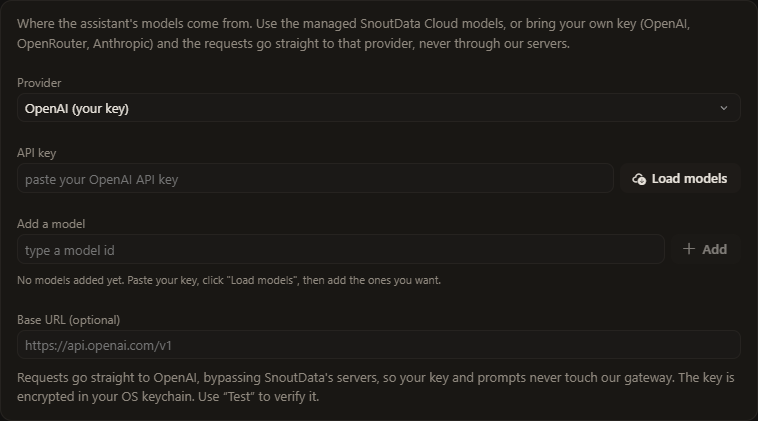
On Plus and Pro, you can point the SnoutData assistant at your own OpenAI, OpenRouter, or Anthropic key. Requests go straight from your machine to that provider. The key and your prompts never pass through SnoutData's servers.
How it works
By default the assistant runs on SnoutData's managed gateway: we serve the models, meter usage, and bill it to your plan. BYOK swaps that out for your own provider account. You paste an API key, pick a model, and the assistant talks to that provider directly. You pay the provider for what you use, at their rates.
Set it up
- Make sure you are on Plus or Pro (plans).
- In Studio, open Settings, AI.
- Add a key for OpenAI, OpenRouter, or Anthropic, then pick a model.
Each provider also has an optional base URL field, so you can point at a proxy, Azure OpenAI, or a self-hosted gateway that speaks the same API.
Where your key lives
Your key is stored in your operating system's keychain and is never written to a config file, a log, or our servers. See Security.
For the full explainer, see the BYOK page on snoutdata.com.